Best 5 Smart Light Bulbs in the US (2026)
As an Amazon Associate I earn from qualifying purchases.
What this means
When you buy through an Amazon link on this page, Amazon may pay a commission on a qualifying purchase. The price you pay is the same.
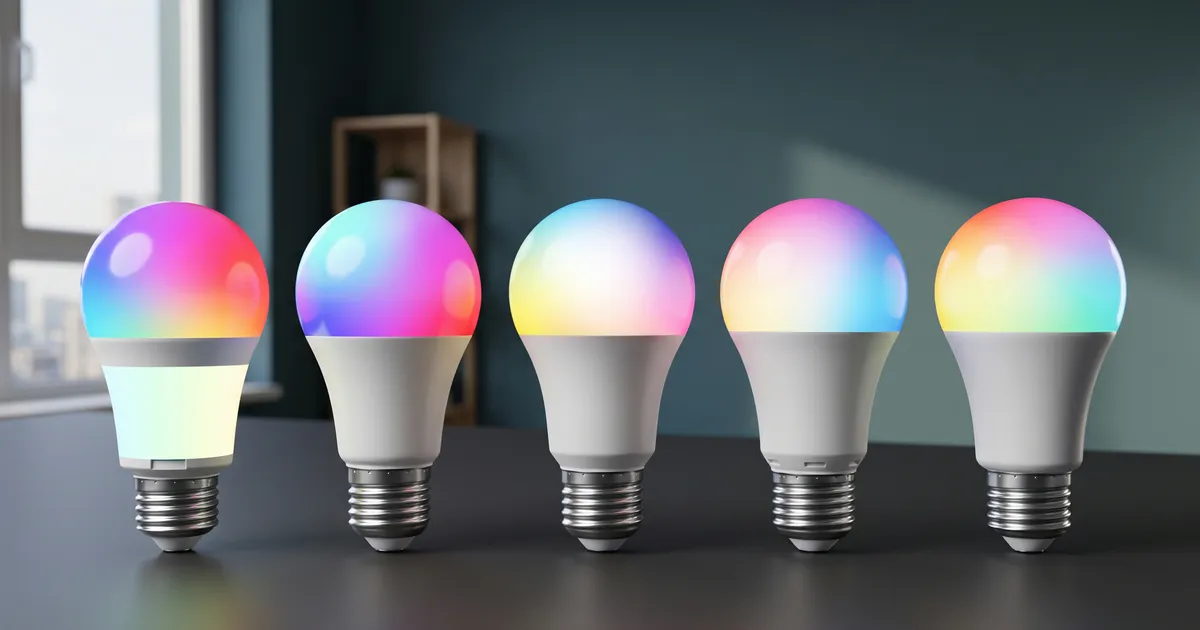
Swapping traditional light bulbs for connected models is supposed to simplify everyday lighting, yet many setups run into frustrating snags right away. Owners frequently report bulbs dropping offline, sluggish voice commands, inconsistent color rendering, or companion apps that demand constant troubleshooting just to maintain a basic schedule.
Finding a dependable model can be difficult when listings showcase near-identical specs like standard base sizes and millions of advertised colors. What separates a smooth setup from daily annoyance comes down to responsive local control, steady 2.4 GHz wireless links, and intuitive scheduling software.
So we read what the buyers quoted here report and set these 5 side by side. Every quote comes from a real review we keep on file. Our top pick comes first; if it is not your fit, the others are there for different needs.

Verified by TrueValuePick, every quote checked against its archived source
Tyler Jensen covers smart home gear, plus computer and office gear, for TrueValuePick. Each guide is built from what owners report in public about the plugs, hubs and doorbells they run at home.
Tyler Jensen
Editor, Smart Home guides
How this list was built
By the numbers
- Ratings
- 68K
- Products compared
- 48
- Buyer quotes
- 73
- Picks
- 5
How the shortlist was drawn
- Popularity and stock
- Standard fixture fit
- Smart platform support
What each pick was judged on
- Connection reliability
- Color and brightness range
- App usability and routines
Read the full method
The editor chose these smart light bulbs based on their listings, selecting one popular option per brand. What is reported about each bulb comes directly from owners in their published reviews, alongside recorded technical specifications and standard category expectations.
How the shortlist was drawn
- Popularity and stockChosen by how much buyers bought, reviewed, and rated each model, picking one per brand. Every pick was listed new and in stock on Amazon US when this guide was built.
- Standard fixture fitBulbs had to feature standard E26 screw bases and classic A19 profiles for broad compatibility across regular household lamps and overhead sockets.
- Smart platform supportEvery model required native support for voice assistants or smart home ecosystems without demanding proprietary hardware bridges.
What each pick was judged on
- Connection reliabilityTracked how consistently bulbs maintain their network links without dropping offline or requiring frequent resets.
- Color and brightness rangeCompared white temperature adjustments, maximum output, and color saturation during daily use.
- App usability and routinesExamined setup speed, scheduling timers, scene options, and voice assistant response times.
- Prices are not listed. They move constantly and a stale number helps nobody — the retailer shows what it costs right now.
- No brand or retailer pays TrueValuePick for a place on this list: no ads, no paid placement. How a guide is put together
Our top 5 picks


Pick 1 of 5
Best overall
- Most recommended
- Great for beginners

Govee Smart Light Bulb
A responsive Wi-Fi bulb that pairs rapidly and delivers vivid color saturation alongside adjustable white lighting.
Price and availability are shown on Amazon.
Best for
- Everyday home lighting: delivers 800 lumens of adjustable white light and rich colors
- Fast smart assistant control: links readily with Alexa for hands-free adjustments
Skip it if
- You want animated scene speed controls: the preset scene speeds cannot be customized
Our verdict
This A19 bulb combines straightforward app pairing with stable wireless performance. Owners report that setup takes only a few minutes through the companion app, with voice commands executing promptly once linked to Alexa.
Brightness is sufficient for general room lighting, and the wide spectrum of colors offers rich ambiance for relaxing or entertaining. The companion software includes dozens of pre-programmed scene modes and music-sync functionality.
The main drawback noted by owners is that preset animated scenes lack custom speed adjustments, meaning dynamic light transitions run at a fixed pace.
Pros & cons
Pros
- Quick setup: connects smoothly through the companion app
- Vibrant lighting: strong color saturation and bright white light
- Stable voice control: responds consistently to Alexa commands
- Extensive options: features numerous built-in scene presets
Cons
- Fixed scene pacing: cannot adjust the transition speed on preset scenes
- No smart switch use: requires continuous line voltage to operate
What owners say
These Govee smart light bulbs have been a fantastic addition to my home. The setup was quick and easy, and connecting them to the app was simple. Within minutes, I was able to customize the colors, brightness, and lighting effects.
Kayla · Buyer
I simply screwed the bulb in, opened the Govee app, and it was recognized almost immediately. The setup process was incredibly easy, and once I had it connected in the app, linking it to my Echo was just as simple.
Rock · Buyer
The colors are vibrant, adjustable and I had no problems getting them to work right away- so easy compared to others I’ve tried. I love being able to use the app to change colors, set timers and group with one another.
kkl9588 · Buyer
The bulbs have worked great. They're easy to set up and use. I like being able to control the brightness easily and changing the colors from my phone. I was disappointed about not being able to control the speed of the preset scenes.
Cassie · Buyer
Show 2 more quotesShow fewer
The colors are so bright and vibrant, and there are so many different colors to choose from! I love being able to change the lighting to match my mood, the season, or whatever I'm doing.
Wendi · Buyer
Amazing WiFi bulbs that come with a great app. It was easy to set up and it works with Alexa. The app makes it easy to control your lights and colors.
Lewis H. · Buyer
Our conclusion
Choose this Govee model if you want vibrant colors, reliable voice integration, and quick setup. If you need Bluetooth fallback during network outages, #2 offers dual connectivity.
Pick 2 of 5
Best for connection stability
- Owner favorite

Linkind Smart Light Bulb
Dual Wi-Fi and Bluetooth connectivity ensures low command latency and continuous local control even when internet access drops.
Price and availability are shown on Amazon.
Best for
- Network-heavy households: avoids cloud API request limits and latency spikes
- Workspaces: tunable white light ranges from warm glow to crisp task lighting
Skip it if
- You want gradual sunrise wake-up scheduling: the app lacks a progressive brightness ramp for wake timers
Our verdict
Equipped with both Wi-Fi and Bluetooth chips, this bulb eliminates response lag and stays controllable over local Bluetooth if Wi-Fi disconnects. Owners note that commands from smart home dashboards or voice assistants trigger almost instantaneously without hitting cloud API limits.
The white light spectrum is highly adjustable, allowing users to fine-tune exact warmth and intensity for reading or makeup application. The color wheel provides deep, saturated hues rather than washed-out tones.
The primary limitation is the scheduling tool, which does not support a slow, gradual increase in brightness for automated morning wake-up routines.
Pros & cons
Pros
- Low latency: responds immediately without cloud API bottlenecks
- Dual connectivity: Bluetooth backup keeps controls active when Wi-Fi drops
- Precise white tuning: wide temperature range for task or accent use
- Music synchronization: reacts to sound via the mobile app
Cons
- No gradual wake timer: cannot slowly ramp up brightness on a schedule
- Requires 2.4 GHz Wi-Fi: will not pair directly on 5 GHz networks
What owners say
The white light quality is excellent—crisp enough for a workspace but able to dim down to a warm, comfortable glow for the evening. The 16 million color options are vibrant and saturated, not washed out like some budget-oriented smart bulbs.
Matthew · Buyer
They were very easy to get up with my Google Home and easy to set up an automation to turn on at night and off in the morning. I also love that we can set colors for different holidays or just have regular light.
brownie06921 · Buyer
I think the only downfall to using it as a slow-wake type of device is that there doesn’t appear to be a way to gradually increase the brightness on a pre-scheduled turn-on time.
Jen & Chris · Buyer
The app that goes with these always works & the bulbs always stay connected. I really like the way you can make them change colors to music, that's pretty fun.
Nichole · Buyer
Our conclusion
This pick suits anyone who prioritizes immediate command response and local Bluetooth backup. If you want conditional scheduling based on offset sunrise times, consider #3.
Pick 3 of 5
Best for advanced scheduling
- Easiest to live with

Tapo Smart Light Bulb
Offers flexible timer rules tied to sunrise and sunset alongside an Away Mode that randomizes lighting to deter intruders.
Price and availability are shown on Amazon.
Best for
- Automated routines: schedules can trigger up to several hours before or after sun events
- Vacation lighting: Away Mode cycles lights randomly while you travel
Skip it if
- Your fixture is far from your router: the internal antenna is more sensitive to weak wireless signals; #2 maintains stronger local links
Our verdict
This Tapo bulb provides wide 220-degree light distribution and extensive scheduling options within its companion app. Owners frequently utilize its sunrise and sunset triggers, which allow precise offset adjustments for automated porch or living room routines.
The bulb delivers high brightness across color and white modes, maintaining vivid output even when dimmed. It also features an Away Mode to simulate occupancy during travel.
However, owners observe that its internal Wi-Fi antenna has a shorter reach than other smart devices, which can cause connection cycling in distant garage or exterior fixtures.
Pros & cons
Pros
- Flexible scheduling: offsets sunrise and sunset times by hours
- Away Mode: randomizes lighting patterns during vacations
- Wide beam angle: 220-degree light dispersion fills fixtures evenly
- Vibrant output: high color rendering index across dimming levels
Cons
- Weaker Wi-Fi reception: struggles at extended distances from routers
- Pairing quirk: some mobile phones require cellular data turned off during initial setup
What owners say
I had devices on my front porch and garage which in worst case were about 35' away from my TP Link range extender (which is working great unlike other range extenders I've tried) and they kept cycling betwween online and offline.
Scott · Buyer
For instance, there is now a "party mode" that can use your phone's microphone to make a light show with your bulbs, or the bulbs can just cycle between several colors on their own.
Banjo Batman · Buyer
Initial setup is very easy, connect your phone to the light's wifi signal, select the type of bulb and it's good to go. The bulbs react instantly when changing a setting from the phone.
TS · Buyer
I have mine connected to my Alexa Echo, and setup and everyday use have been easy. Alexa controls the bulb without any problems, and the different colors and dimming features work as expected.
Robert Linn · Buyer
Our conclusion
Pick 4 of 5
Best for whole-home grouping
- Great for beginners
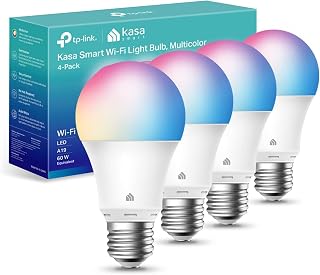
Kasa Smart Smart Light Bulb
Integrates into large smart home setups with intuitive room grouping and daylight-tracking white temperature routines.
Price and availability are shown on Amazon.
Best for
- Multi-bulb rooms: groups easily into synchronized zones via voice and app
- Circadian lighting: adjusts white warmth automatically throughout the day
Skip it if
- You have inconsistent Wi-Fi coverage: bulbs can lose network sync when placed far from the router
Our verdict
Designed for clean integration into existing Kasa ecosystems, this bulb handles grouping and daily voice controls smoothly. Owners note that controlling entire rooms simultaneously via Alexa or Google Assistant works dependably once paired.
The app allows users to configure automatic white shifts that match daylight patterns from dawn to evening. The physical bulb is relatively compact and lightweight.
The drawback reported by several buyers involves network sensitivity: bulbs placed in distant bedrooms or through thick walls can intermittently drop offline, requiring manual reconnection in the app.
Pros & cons
Pros
- Intuitive grouping: manages multi-bulb fixtures under a single command
- Circadian rhythm mode: shifts white color temperature across the day
- Compact body: lightweight design fits smaller lamp shades
- Broad dimming range: smooth dimming from nightlight glow to full brightness
Cons
- Sensitive Wi-Fi link: prone to disconnecting in weak coverage areas
- App migration friction: adding new units can occasionally disrupt existing voice links
What owners say
When I try to use a Kasa bulb or plug in my bedroom (not that far from the router) I keep getting told by the app that it won't work because there is no connection or it is too unstable.
Metaphorical · Buyer
There are occasions when the bulbs fail to connect or become disconnected from the network, disrupting the intended lighting settings and requiring manual intervention to reestablish connectivity. Often just one will disconnect, meaning I can’t control them both at the same time. Other times, both disconnect.
Sara · Buyer
So I downloaded the manufacturer's app and set one up and it broke the connection with all the previous bulbs and Alexa. I couldn't even delete the original ones from the Alexa app.
Kevin · Buyer
Really easy to install. The Kasa Smart App interface is super easy to understand and work with. Amazing light colour choices. I could easily control the brightness of my lights too.
Arraf Arzo · Buyer
Our conclusion
This bulb is ideal for buyers looking to sync multiple fixtures across a home using the Kasa app. If connection resilience is your main concern, #2 offers local Bluetooth fallback.
Pick 5 of 5
Best for multi-ecosystem Matter support

Sengled Smart Light Bulb
Matter certification enables direct pairing across Apple HomeKit, Google Home, and Alexa smart home platforms.
Price and availability are shown on Amazon.
Best for
- Multi-platform households: works across Matter-enabled controllers without proprietary hubs
- Single-lamp fixtures: delivers 800 lumens of vivid color and standard white light
Skip it if
- You live in an area with frequent power outages: turns fully on when power is restored
- You want fast color transitions: dynamic color changes can feel sluggish compared to #1
Our verdict
Supporting the Matter smart home standard, this bulb connects directly to platforms like Apple Home, Alexa, and Google Assistant. Owners who use standard pairing procedures report smooth initial recognition and responsive dimming.
It delivers clear 800-lumen output with high color rendering, making it suitable for reading lamps or bathroom fixtures.
A notable quirk is its power-restore behavior: if an electrical outage occurs while the light is toggled off in software, the bulb turns on at full brightness when power returns. In addition, some owners have reported difficulties reconnecting after network drops.
Pros & cons
Pros
- Matter standard support: works across Apple Home, Google, and Alexa
- High color accuracy: delivers vivid colors and crisp white illumination
- Hub-free connection: links directly over 2.4 GHz Wi-Fi networks
Cons
- Default power-on behavior: illuminates automatically after a power outage
- Slower transitions: color shifts take longer than on competing models
- Reconnection hurdles: can be difficult to re-pair if network drops
What owners say
Very easy to setup. I would recommend for those who are not tech savvy to use a lamp to setup for first initial setup. Once setup then screw them into lights that are located on the ceiling or above bathroom mirror.
The Trip · Buyer
Brightness is great at 800 lumens more than enough for everyday use, and the color options are vibrant and fun for different moods. I also like that it supports Matter, which adds some future-proofing across smart home platforms.
Joel · Buyer
My only complaint is that if there is a power outage while the bulb is off, it does not remain off when the power returns. I experienced this when I was away for weeks on separate occasions and returned to find the light on.
WestInidianNative · Buyer
Purchased these bulbs in 2025. They worked beautifully. Then in Oct 2026, they unpaired. And now it states Sengled has gone belly up with no more app or a way to pair my bulbs again.
T. Livingston · Buyer
Our conclusion
Choose this Sengled bulb if you specifically need Matter compatibility across different smart assistants. If you want seamless app scenes and rock-solid reconnection, #1 is the more dependable pick.

Buying guide
Understanding Wi-Fi Bands and Connectivity
Most smart bulbs rely entirely on 2.4 GHz Wi-Fi networks rather than 5 GHz bands. During initial setup, routers broadcasting a unified dual-band network name can sometimes cause pairing hiccups. Models featuring dual Bluetooth and Wi-Fi chips often pair faster and allow local Bluetooth adjustments if home internet service cuts out temporarily.
White Light vs. Full Color
While vibrant RGB colors offer accent lighting for movie nights and parties, tunable white light handles practical tasks like reading, cooking, or working. Bulbs with dedicated white channels let you shift between crisp cool daylight and warm amber tones without washing out clarity.
Wall Switches and Dimming
Smart bulbs require steady line power to stay responsive to apps and voice assistants. Turning off a physical wall switch cuts power entirely, causing the bulb to show as disconnected. Additionally, standard wall dimmer switches should not be paired with smart bulbs, as lower electrical currents cause buzzing or rapid flickering. Use the app or paired voice commands for all dimming adjustments.
Mistakes buyers keep making
Drawn from what buyers complain about in their reviews.
Pairing over 5 GHz networks
Most bulbs refuse to pair when a phone is locked to a 5 GHz band during setup; separating router bands or moving further away during pairing resolves this.
Using physical dimmer switches
Wiring smart bulbs into fixtures controlled by traditional wall dimmers causes loud buzzing, flickering, and dropped network connections.
Ignoring power-cut behavior
Some smart bulbs default to 100% brightness when power is restored after an outage, which can unexpectedly illuminate dark bedrooms in the middle of the night.
Overextending router range
Sockets located in exterior porches or metal fixtures can severely attenuate Wi-Fi signals, leading to frequent offline errors.
Frequently asked questions
Do smart bulbs work with standard wall switches?
Yes, but flipping the physical switch off cuts power to the internal radio, preventing app and voice control until the switch is flipped back on.
Can I use smart bulbs in enclosed outdoor fixtures?
Most smart bulbs are rated primarily for indoor use, though some owners use them in sheltered outdoor sockets provided temperatures remain within operating limits and Wi-Fi signals reach the fixture.
How were these products chosen?
The editor selected the products based on popularity and stock on Amazon US, choosing one model per brand, with performance details gathered from buyer reviews and specifications.
Tyler Jensen
Editor, Smart Home guides
Tyler Jensen covers smart home gear, plus computer and office gear, for TrueValuePick. Each guide is built from what owners report in public about the plugs, hubs and doorbells they run at home.
Compiled this guide from buyer reviews, each one checked against an archived copy of the listing it came from.